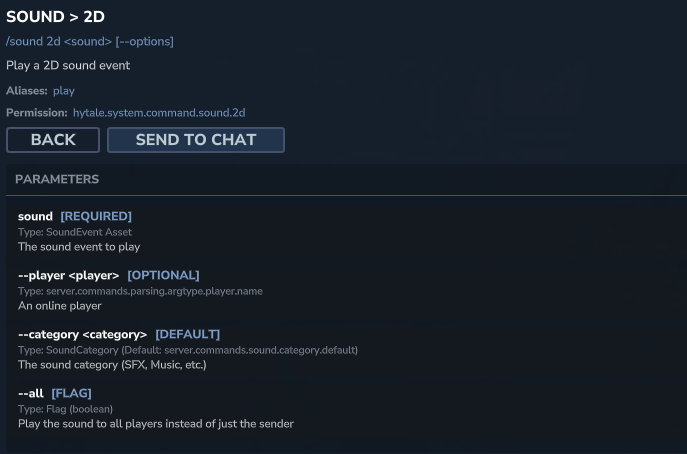
The /sound command in Hytale offers powerful capabilities to manipulate the ambiance and overall sound experience within any world.
Whether it’s a server administrator wishing to manage the soundscape or a content creator aiming to add specific audio cues to their custom maps, this command provides granular control over playing various sound events, from global alerts to localized environmental effects.
📋 Technical Sheet
- Description: Allows playing various sound events in the game world. The command supports positional (3D) and global (2D) playback, with optional parameters to customize sound characteristics.
- Permission:
hytale.system.command.sound
🛠️ Syntax and Usage
| Action | Syntax | Description | Example |
| Play a 2D sound | /sound 2d <sound> [--options] | Plays a 2D sound event, audible to all players, without a specific position, ideal for alerts or general ambient music. | /sound 2d hytale:sfx_attn_loud |
| Play a 3D sound | /sound 3d <sound> <position> [--options] | Plays a 3D sound event at a specified position in the world, offering spatial immersion with attenuation. | /sound 3d hytale:sfx_arrow_whistle ~ ~10 ~ |