
Here is the complete guide to NPC (Non-Player Character) management commands in Hytale. These tools are essential for bringing your worlds to life, creating scenarios, or testing AI behaviors.
The /npc Command
This command is the cornerstone of entity management in Hytale. It allows you not only to spawn creatures and characters but also to modify their behavior, equipment, and movements in real-time.
📋 Technical Sheet
- Description: Creation, modification, equipment, and debugging of NPCs.
- Permission:
hytale.npc.command.npc
🛠️ Syntax and Usage
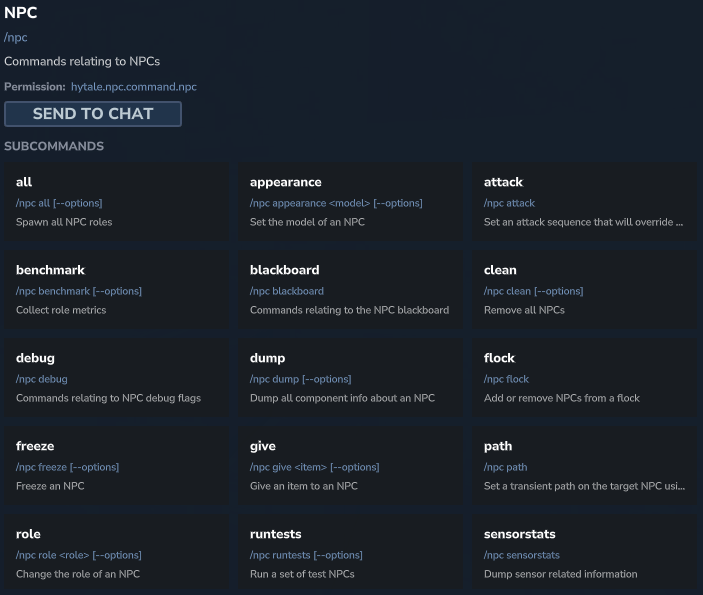
| Action | Sub-command | Description |
| Spawn | /npc spawn <role> | Spawns an NPC with a specific role. |
| Spawn All | /npc all | Spawns all available NPC roles (useful for stress testing). |
| Change Appearance | /npc appearance <model> | Changes the visual model (skin/mesh) of an existing NPC. |
| Set Role | /npc role <role> | Changes the role (AI and behavior) of an NPC. |
| Clean Area | /npc clean | Removes all surrounding NPCs (mass cleanup command). |
| Combat | /npc attack | Defines an attack sequence that overrides default behavior. |
| Equipment | /npc give <item> | Gives a specific item to the NPC (weapon, tool). |
| Movement (Path) | /npc path | Defines a temporary path (“transient path”) that the NPC must follow. |
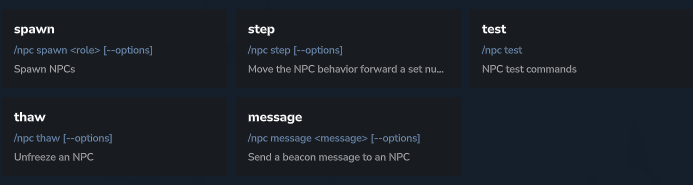
| Step-by-step | /npc step | Advances the NPC’s behavior by a set number of frames (precise debugging). |
| Freeze / Thaw | /npc freeze / /npc thaw | freeze totally stops the NPC. thaw unblocks it. Useful for taking screenshots or inspecting a pose. |
| Groups | /npc flock | Adds or removes NPCs from a “flock” (group behavior). |
| AI Memory | /npc blackboard | Commands related to the “Blackboard” (the NPC’s internal memory where it stores targets, states, etc.). |
| Communication | /npc message <msg> | Sends a signal message (beacon message) to an NPC. |
| Debugging | /npc debug / /npc dump | Displays debug indicators or exports all NPC component info. |
The /path Command
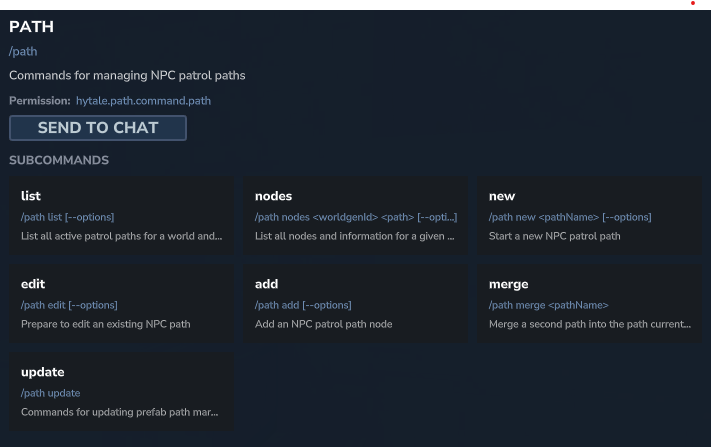
To create guard rounds or realistic villager routes, the /path command is indispensable. It allows you to define invisible nodes in the world that configured NPCs can follow. This avoids random movements and allows you to structure life in your cities or dungeons.
📋 Technical Sheet
- Description: Creation and editing of Patrol Paths.
- Permission:
hytale.path.command.path
🛠️ Syntax and Usage
| Action | Sub-command | Description |
| New Path | /path new <name> | Starts recording a new patrol path. |
| Edit Mode | /path edit | Prepares an existing path for editing. |
| Add Node | /path add | Adds a waypoint (node) to the current path at your position. |
| List Paths | /path list | Displays the list of all active paths in the world. |
| Node Info | /path nodes <ID> <path> | Lists all nodes and information for a given path. |
| Merge | /path merge <name> | Merges a second path into the one currently being edited. |
| Update | /path update | Updates path markers for “prefabs” (prefabricated structures). |
The /spawning Command
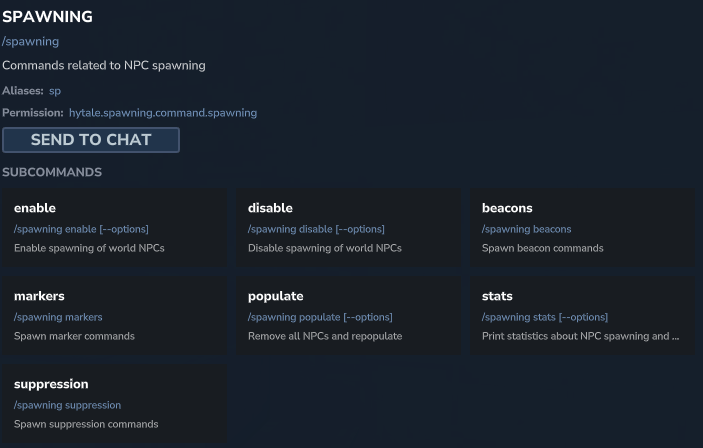
While /npc manages individual entities, /spawning controls the global rules for wildlife and monster generation in the world. This is a crucial command for administrators who wish to secure a construction zone or, conversely, force the repopulation of a region after a cleanup.
📋 Technical Sheet
- Description: Management of the global spawn system, markers, and restricted zones.
- Permission:
hytale.spawning.command.spawning
🛠️ Syntax and Usage
| Action | Sub-command | Description |
| Enable | /spawning enable | Activates the NPC spawning system in the world. |
| Disable | /spawning disable | Deactivates the spawning system (total stop of natural spawns). |
| Repopulate | /spawning populate | Removes NPCs and triggers a full repopulation wave. |
| Statistics | /spawning stats | Displays spawning density and performance stats. |
| Markers | /spawning markers | Commands to manage spawn markers (specific points where entities must appear). |
| Beacons | /spawning beacons | Commands related to spawn beacons. |
| Suppression | /spawning suppression | Manages suppression commands (creation of zones preventing spawning). |