

In Hytale, game customization and extension rely heavily on resource and content pack management. The /assets and /packs commands provide server administrators and content creators with the necessary tools to query and manage the various elements that make up the game world.
Whether you are looking to optimize your server by identifying duplicate resources or to verify active content packs, these commands are valuable allies.
The /assets command
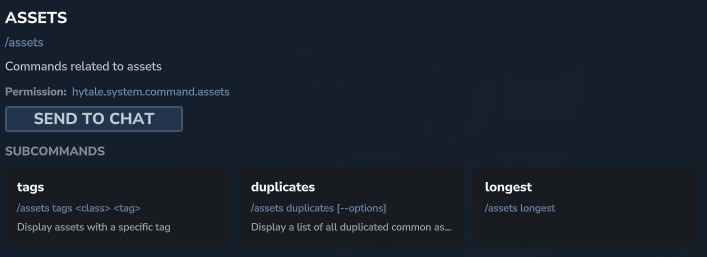
The /assets command is your interface for querying and analyzing the various game resources loaded on the Hytale server. It allows you to obtain detailed information about asset files, which is crucial for debugging, optimization, and understanding the resource structure of your world or pack.
📋 Technical Sheet
- Description: Manages game resources loaded on the server.
- Permission:
hytale.system.command.assets
🛠️ Syntax and usage
| Action | Syntax | Description | Example |
| Display tags | /assets tags <class> <tag> | Lists resources associated with a specific class and tag. | /assets tags Block Blocks.Rocks |
| List duplicates | /assets duplicates [--options] | Displays a list of all duplicate resources, aiding in optimization. | /assets duplicates |
| Display longest | /assets longest | Presents resources having the longest identifiers. | /assets longest |


The /packs command
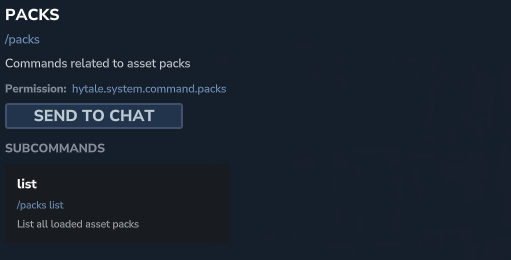
The /packs command is dedicated to managing content packs (asset packs) that enrich the Hytale experience. These packs are the foundation of content creation in the game, allowing the addition of new blocks, items, creatures, and behaviors without requiring programming skills.
This command helps you monitor active packs and ensure they are correctly loaded into your Hytale world. Plugins can also include asset packs, and this command allows tracking them.
📋 Technical Sheet
- Description: Manages content packs (asset packs) in Hytale, including the list of currently active packs.
- Permission:
hytale.system.command.packs
🛠️ Syntax and usage
| Action | Syntax | Description | Example |
| List loaded packs | /packs list | Displays all currently loaded and active content packs. | /packs list |