

If you’re planning to launch a Hytale server , managing ranks and access rights is a top priority. Whether you want to create an “Administrator” group with full powers or a limited “Player” rank, LuckPerms is the essential tool.
Initially famous on Minecraft, LuckPerms adapts to Hytale’s architecture to offer unparalleled flexibility.
Why choose LuckPerms on Hytale?
LuckPerms is not simply a permissions mod; it is a complete management system designed for performance and simplicity.
- Intuitive Web Editor: Manage your permissions via a graphical interface in your browser.
- Optimal Performance: Designed not to slow down your server, even with thousands of players.
- Group Inheritance: Create complex hierarchies (e.g., the “Moderator” group inherits the permissions of the “Player” group).
- Multi-platform: Easily synchronize your permissions between multiple Hytale servers.
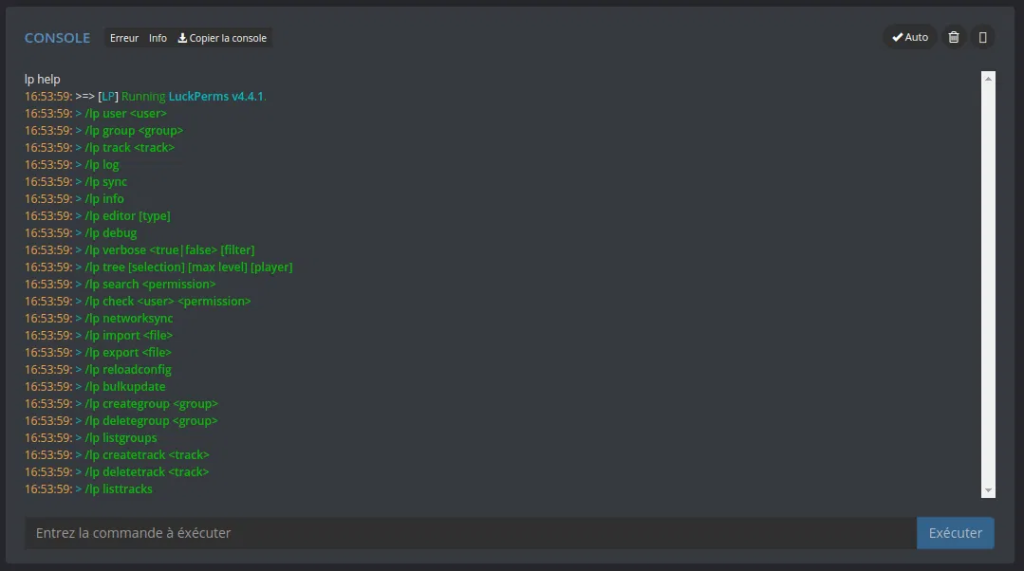
How do I install LuckPerms on my Hytale server?
- Download: Go to the official LuckPerms CurseForge page to get the latest version of the mod.
- Installation: Place the file (or the Hytale-specific format) in your server’s
.jarfolder .mods - Restart: Restart your server to generate the configuration files.
- Initial configuration: Use the console to grant yourself administrator rights with the command:
/lp user <your_name> permission set luckperms.* true.
For simpler use, you can use the panel from mTxServ
: their intuitive panel allows you to install LuckPerms and your Hytale mods in a single click.
Using the Web Editor
LuckPerms’ flagship feature is its Web Editor . Instead of typing hundreds of command lines, simply type:/lp editor
This will generate a unique link. Clicking on it will take you to a comprehensive interface where you can edit your groups, add colored prefixes, and define specific permissions in just a few clicks. Once finished, click “Save” and copy the command back to your server.
Useful Resource: For advanced configurations, see the official LuckPerms Hytale Wiki .