
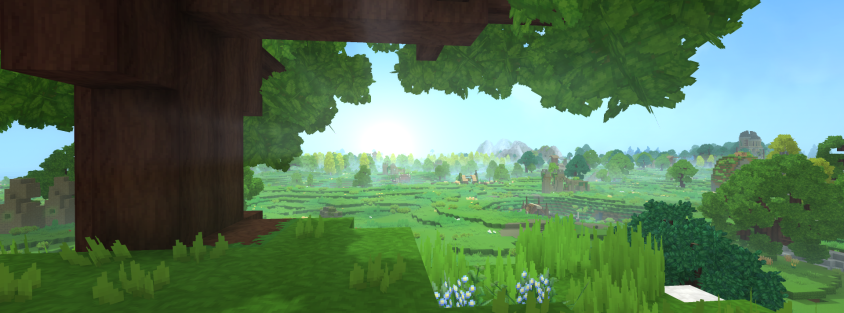
The wait is almost over. With the fateful early access release scheduled for January 2026 fast approaching, the Hypixel Studios team broke their silence on December 1st, 2025, regarding a question on everyone’s lips in the community: “Will my PC be able to run Hytale?”
Contrary to popular belief about “voxel” games, Hytale is a technically complex beast. Between procedural generation, NPC simulation, and lighting management, the game engine demands specific resources.
In this article, we break down the official specifications to help you prepare your machine.
Understanding the Hytale engine: CPU or GPU?
Before discussing graphics cards, it’s crucial to understand how Hytale works. The studio has been clear: Hytale is a CPU-bound game.
Why? Because the game manages a complex world simulation.
- In multiplayer: The server handles the processing load (AI, generation). Your PC only handles the display.
- Playing solo: This is where it gets tricky. Your PC has to run both the client (the graphics) AND the local server (the world logic).
Expert’s note: If you have a limited budget for an upgrade, prioritize a processor (CPU) with a good frequency and many cores, as well as RAM, rather than an overpriced graphics card.
Detailed Configurations
Here are the prerequisites based on the studio’s internal benchmarks for the current version of the game.
1. Minimum System Requirements (Objective: 1080p @ 30 FPS)
This configuration aims to make the game playable with “Low” graphics settings. Note that the view distance will be limited.
- OS: Windows 10/11 (64-bit only)
- Processor: Intel Core i5-7500 or AMD Ryzen 3 1200
- Graphics Card (GPU): NVIDIA GTX 960, AMD Radeon 400 series or Intel Arc. (Integrated chipsets like the Intel UHD 620 may work but are borderline).
- RAM:
- For Multiplayer: 8 GB is sufficient.
- For Solo: 12 GB is recommended (because the PC handles everything).
2. Recommended Configuration (The goal: 1080p @ 60 FPS)
This is the target audience to enjoy Hytale as it was intended, with “High” graphics.
- Processor: Intel Core i5-10400 or AMD Ryzen 5 3600
- Graphics Card: NVIDIA GTX 1060, AMD Radeon RX 580 or equivalent.
- RAM: 16 GB (Current standard for gaming).
- Storage: SSD recommended but not mandatory (we will come back to this).
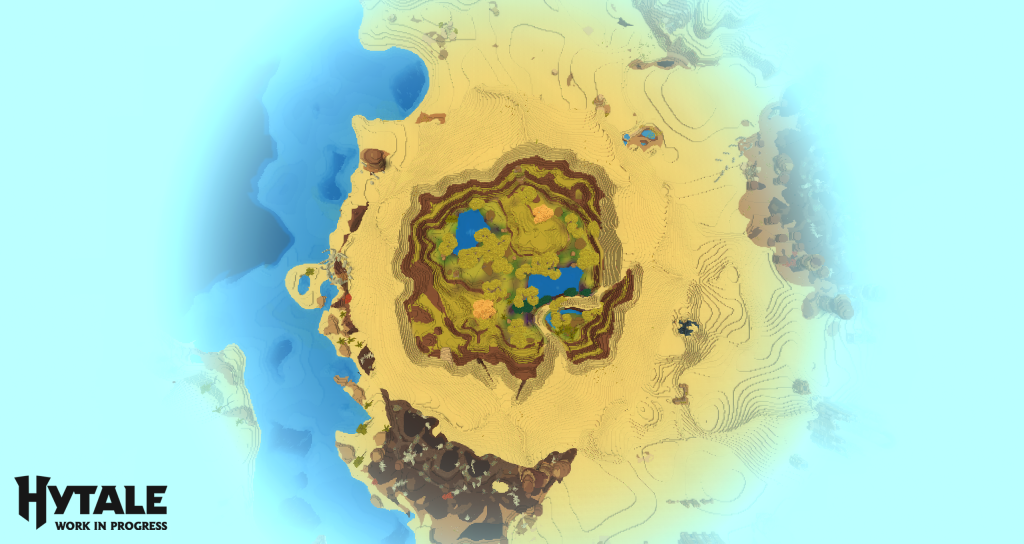
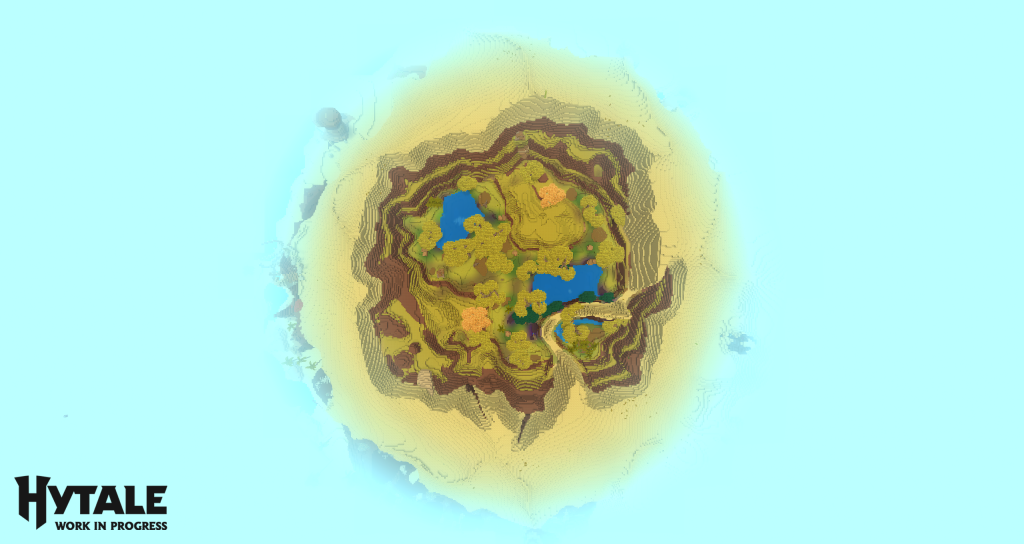
Difference between 192 blocks and 384 blocks of view distance.
The “Viewing Distance” Trap
One of the most interesting technical points revealed by the developers concerns View Distance . This is the parameter that most impacts performance.
You need to understand a simple mathematical rule: If you double the viewing distance, you quadruple the workload for your PC.
- 192 Blocks: Recommended for small configurations.
- 384 Blocks: The ideal distance for which the world of Orbis was designed.
If you push this slider too far, even a high-end graphics card will saturate its video memory (VRAM) because of the massive “texture atlases” that the game generates.
Storage and Networking: The SSD Era
Hytale is not a static game. It’s a world that grows.
- Basic installation: 8 GB.
- Reality: The studio recommends 20 GB of free space on an SSD .
- Why? The more you explore, the larger the save file becomes. A 5000×5000 block area already weighs over 600 MB. Using a traditional hard disk drive (HDD) is strongly discouraged, as it will cause slowdowns when loading chunks.
On the internet side, a standard ADSL connection (2 to 8 Mbit/s) is sufficient to play, as the game mainly downloads data (the world) and sends little.
For Content Creators (Streamers / YouTubers)
Planning to stream Hytale in 1440p? The team has created an “Ultra” category for you. Here, the goal isn’t just to have high FPS, but perfect frametime stability, even during intense battles or TNT explosions.
- CPU: Intel Core i7-10700K / Ryzen 9 3800X
- RAM: 32 GB (Essential for running the game + OBS + Browser)
- GPU: RTX 3000 Series or RX 7000 Series.
The team also recommends AV1 encoding if your card supports it, for superior image quality in streaming.
What about Mac, Linux and the Steam Deck?
That’s the slight disappointment of this announcement:
- Mac & Linux: Support is coming, but the team is still working on optimization (especially for Apple M1/M2 chips).
- Steam Deck: On paper, Valve’s console is quite powerful. However, Hytale hasn’t yet validated the user interface (UI) for small screens or controller support for launch. Patience will be required.
Conclusion
Hytale is shaping up to be a technically modern game that takes full advantage of multi-core processors. If your PC is 5 or 6 years old, a RAM upgrade or a switch to an SSD might be necessary for launch day.
Remember: optimization will continue throughout early access.
Is your setup ready for Orbis? Let us know in the comments!
Find all the information about the game on our French Hytale community Discord .