
This article details the essential commands for interacting with voxels, managing selections, and configuring advanced block properties.
The /block Command
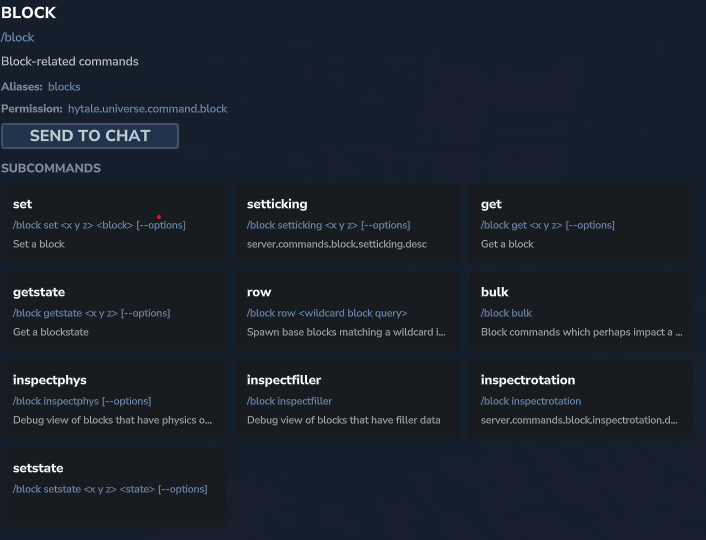
This command is the “Swiss Army knife” for unit block manipulation. It allows you not only to place or identify blocks at specific coordinates but also to modify their states (such as orientation or activation) and manage their temporal behavior (ticking).

📋 Technical Sheet
- Description: Allows defining, retrieving, and modifying the states or properties of a specific block.
- Permission:
hytale.universe.command.block
🛠️ Syntax and Usage
| Action | Syntax | Description | Example |
| Place a block | /block set <x> <y> <z> <block> [--world] | Places a specific block type at the indicated coordinates. | /block set 0 65 0 hytale:stone |
| Identify a block | /block get <x> <y> <z> | Displays information about the block located at the given position. | /block get 10 70 10 |
| Modify a state | /block setstate <x> <y> <z> <state> | Changes a state property of the block (e.g., open/closed). | /block setstate 0 65 0 open=true |
| Read a state | /block getstate <x> <y> <z> | Retrieves the current value of the block’s states. | /block getstate 0 65 0 |
| Generate a row | /block row <query> | Spawns a row of blocks corresponding to a generic query (wildcard) in front of you. | /block row Furniture_*_Table |
| Manage ticking | /block setticking <x> <y> <z> | Enables or disables the logic update (tick) for the targeted block. | /block setticking 0 65 0 |
| Bulk operations | /block bulk | Accesses sub-commands for batch operations. | /block bulk |
| Inspect physics | /block inspectphys | Displays debug information regarding physical properties. | /block inspectphys |
The /fillblocks Command
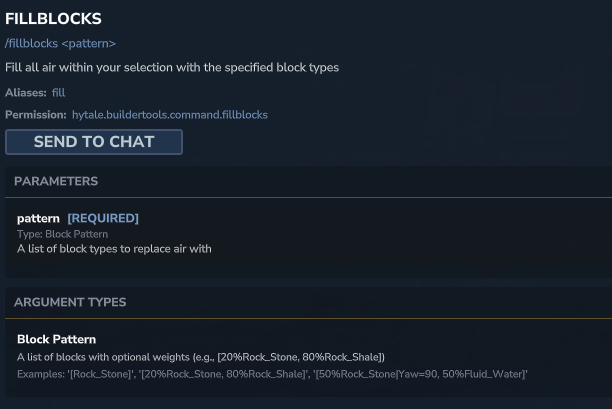
Primarily used with construction tools, this command (also accessible via the alias /fill) allows you to fill the current selection or a defined area with a specific block pattern. It is ideal for rapid terraforming.
📋 Technical Sheet
- Description: Fills air or replaces blocks in a selection with a given pattern.
- Permission:
hytale.buildertools.command.fillblocks
🛠️ Syntax and Usage
| Action | Syntax | Description | Example |
| Fill selection | /fillblocks <pattern> | Replaces the contents of the selected area with the specified pattern. | /fillblocks [Rock_Stone] |
| Probabilistic fill | /fillblocks <pattern> | Uses percentages to mix multiple blocks. | /fillblocks [20%Rock_Stone,80%Rock_Shale] |
| Fill with properties | /fillblocks <pattern> | Applies blocks with specific states (e.g., rotation). | /fillblocks [50%Rock_Stone] |
The /clearblocks Command
This command is the direct opposite of filling. It allows you to quickly clean up an area by setting all blocks to “empty” (air), either within the player’s active selection or between two absolute coordinates.

📋 Technical Sheet
- Description: Deletes all blocks in the selection or within a defined area.
- Permission:
hytale.buildertools.command.clearblocks
🛠️ Syntax and Usage
| Action | Syntax | Description | Example |
| Clear selection | /clearblocks | Deletes all blocks present in your current selection. | /clearblocks |
| Clear a zone | /clearblocks <pos1> <pos2> | Deletes blocks between two specific coordinates. | /clearblocks 0 60 0 10 70 10 |
The /blockspawner Command
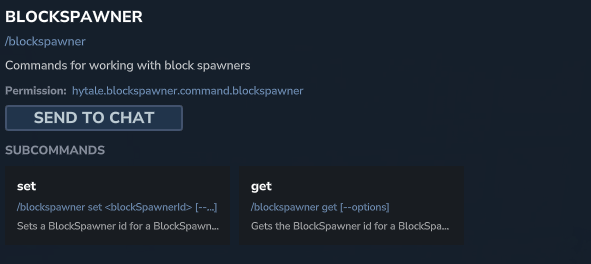
This is a technical command used to configure special blocks capable of spawning entities or particles. It is essential for creating dynamic spawn points or visual effects linked to the environment.
📋 Technical Sheet
- Description: Manages the properties of “spawner” type blocks.
- Permission:
hytale.blockspawner.command.blockspawner
🛠️ Syntax and Usage
| Action | Syntax | Description | Example |
| Set ID | /blockspawner set <id> | Assigns a spawner identifier to the targeted block. | /blockspawner set skeleton_spawner_01 |
| Read ID | /blockspawner get | Retrieves the identifier of the targeted spawner. | /blockspawner get |
The /blockselect Command
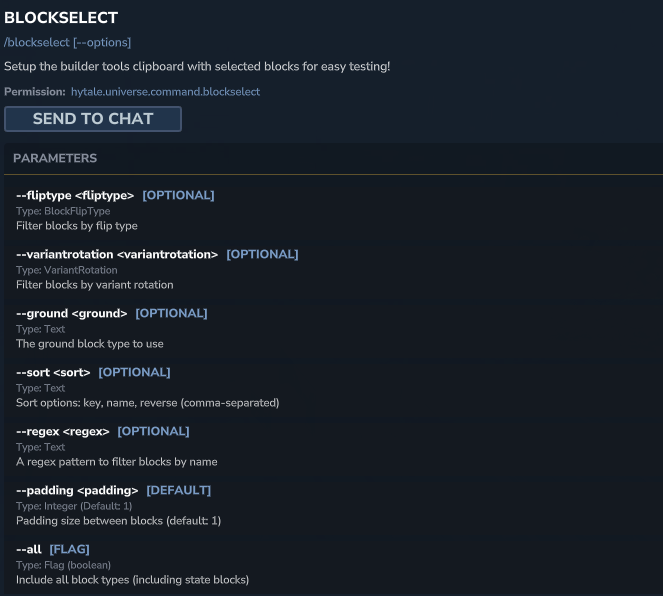
Used mainly for debugging and configuring construction tools, this command allows you to configure the clipboard with a selection of blocks based on precise criteria such as rotation type or name.
📋 Technical Sheet
- Description: Configures the construction tools’ clipboard with filtered blocks.
- Permission:
hytale.universe.command.blockselect
🛠️ Syntax and Usage
| Action | Syntax | Description | Example |
| Filter by regex | /blockselect --regex <pattern> | Selects blocks whose name matches the pattern. | /blockselect --regex ^rock_.* |
| Filter by rotation | /blockselect --variantrotation <type> | Selects blocks according to their rotation variant type. | /blockselect --variantrotation updown |
| Include all | /blockselect --all | Selects all block types, including state blocks. | /blockselect --all |
The /blockset Command
This command allows you to inspect the content of “block sets,” which are predefined collections of blocks used by the game for various mechanics (such as generation or replacement).

📋 Technical Sheet
- Description: Displays the list of blocks contained in a specific set.
- Permission:
hytale.blocksetmodule.command.blockset
🛠️ Syntax and Usage
| Action | Syntax | Description | Example |
| List a set | /blockset --blockset <name> | Displays the content of the named block set. | /blockset --blockset stone_variants |