
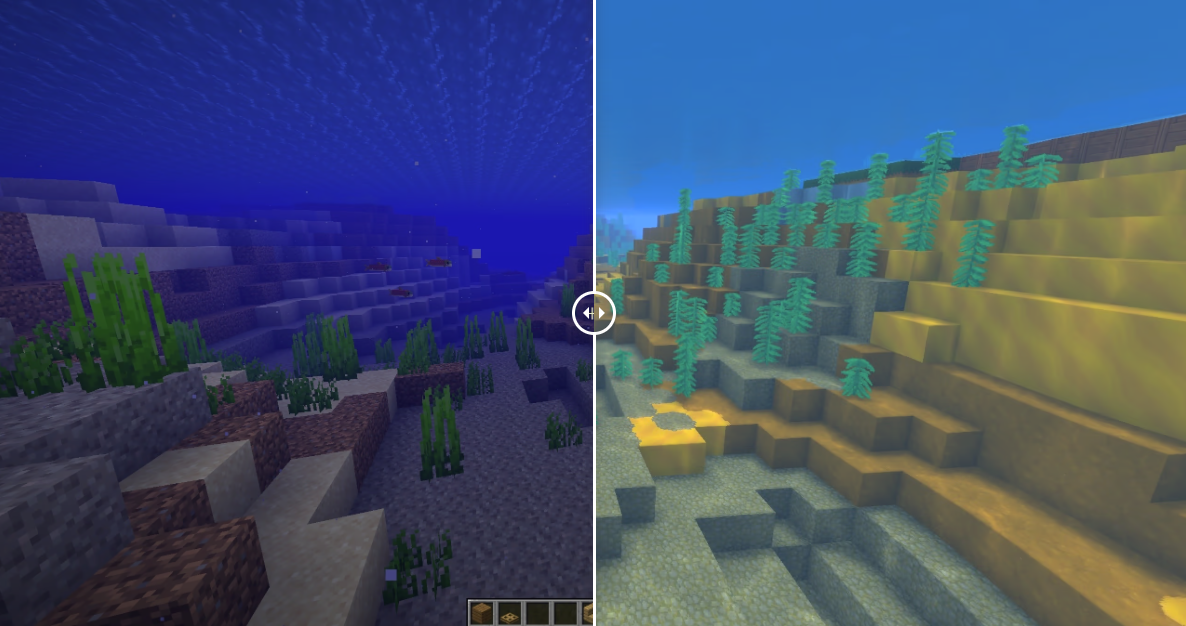
Since the announcement of Hytale, one question has haunted the community: what do we do with our Minecraft worlds? After years of building and huge projects, nobody wants to rebuild everything block by block.
This is where the Hytale World Converter comes in . This tool, which is already circulating among some pro builders, does not just import structures: it promises to migrate entire worlds.Convert my world!
/!\ If you wish to copy small constructions, a free tool is available on this page!
Much more than just importing schematics
Most current tools are limited to schematics (simple lists of blocks), which is unnecessary for a complete map. The Hytale World Converter takes a bigger approach:
- Direct reading: It targets Minecraft save files (
.mca). - Binary analysis: It interprets the original regions, chunks, and compression.
- Total reconstruction: It recreates the information in a format compatible with the Hytale engine.
Interactive comparison: Before/After rendering
 Hytale
 Minecraft
 Hytale
 Minecraft
Two games, two data logics
Switching between the two is a real engineering challenge. Here are the major differences the tool must handle:
| Characteristic | Minecraft (Anvil format) | Hytale |
| Storage | Compressed NBT (Gzip/Zlib) | BSON Structure |
| Compression | Standard | Zstandard (Zstd) |
| Structure | Vertical chunks | Cubic sections (32×32×32) |
| Height | Variable | Negative Y-axis management |
The tool must therefore reorganize each section so that it integrates perfectly into Hytale’s new architecture without corrupting the data.
Block mapping: the pragmatic approach
Since Hytale doesn’t (yet) have as many blocks as Minecraft, a perfect equivalence is impossible. The tool therefore uses a clever strategy based on visual similarity :
- Priority to meaning: Wood remains wood, stone remains stone.
- Consistent replacement: No blocks are deleted.
- Temporary solutions: For example, windows (absent from Hytale at the moment) are converted into blocks of ice to preserve the overall structure.
This mapping system has been refined with experienced builders and validated on over 10,000 conversions .
Complex orientations and rotations
This is where the problem usually lies. A Minecraft staircase has dozens of variations (internal shape, external shape, orientation). The tool converts this data into Hytale-specific numerical rotation values to:
- The stairs and the paving slabs.
- Logs and directional pillars.
- Ladders and other blocks have specific rules.
The details that make the difference
The converter doesn’t stop at walls. It handles specific cases that save hours of manual retouching:
- Chests: Automatic detection and merging of duplicate chests.
- Beds: Reconstructing the entire block from the two halves of Minecraft.
- Fluids: Water and lava are exported separately to comply with the Hytale prefab format .
- Optimization: Reducing the size of generated JSON files to avoid overloading folders.
Who is this tool for?
Let’s be clear, this isn’t for converting a small garden shed. The Hytale World Converter is designed for:
- Creators who own massive worlds.
- Large Minecraft servers are preparing for their migration.
- Community projects wishing to preserve their history.