
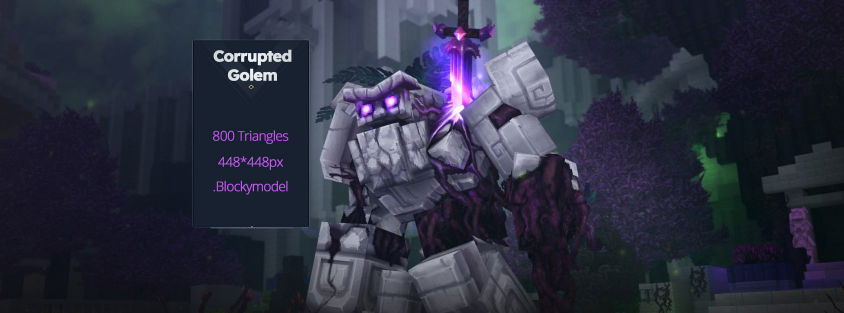
Hytale ‘s development has reached a major milestone. Thomas Frick, the project’s Art Director for the past ten years, has just revealed the behind-the-scenes details of the game’s visual creation. From the use of Blockbench , the cornerstones of the “modern voxel” style, to the engine’s technical constraints, here’s everything you need to know to start creating your own models for Hytale.
Hytale’s Visual Identity: “A Modern Voxel with a Retro Look”
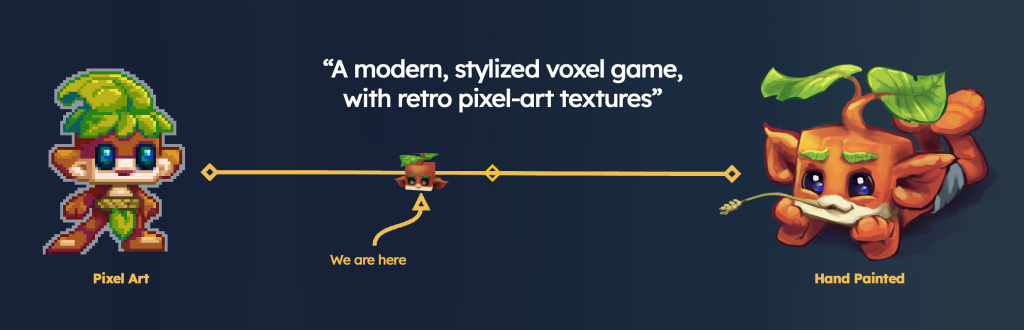
Hytale’s art style isn’t just about cubes. It’s a fusion of low-resolution pixel art and the hand-painted look of traditional 3D . The goal is clear: to maintain total immersion, whether you’re on Orbis, playing a mini-shooter, or facing off against dinosaurs.
The 4 Artistic Pillars of the Game
To ensure the consistency of this universe, the development team relies on four fundamental principles:
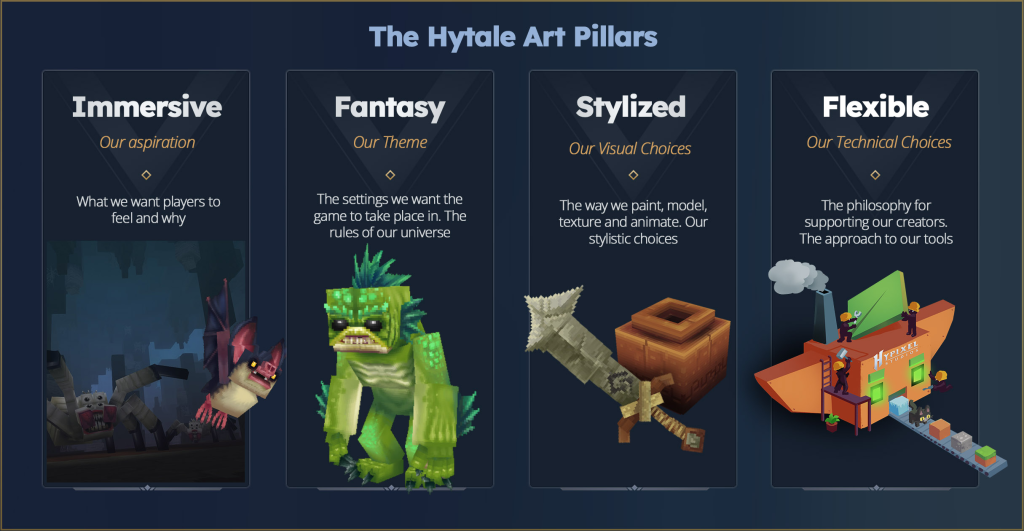
- Immersive: The world must appear alive (movement of leaves, facial expressions of creatures).
- Fantasy: A recognizable identity, even when reusing classic archetypes.
- Stylized: Iconic and simple shapes for perfect readability of the environment.
- Flexible: Simple structures (cubes and quads) to allow the community to take ownership of the creation tools.
Blockbench: The Official Tool for Creating on Hytale
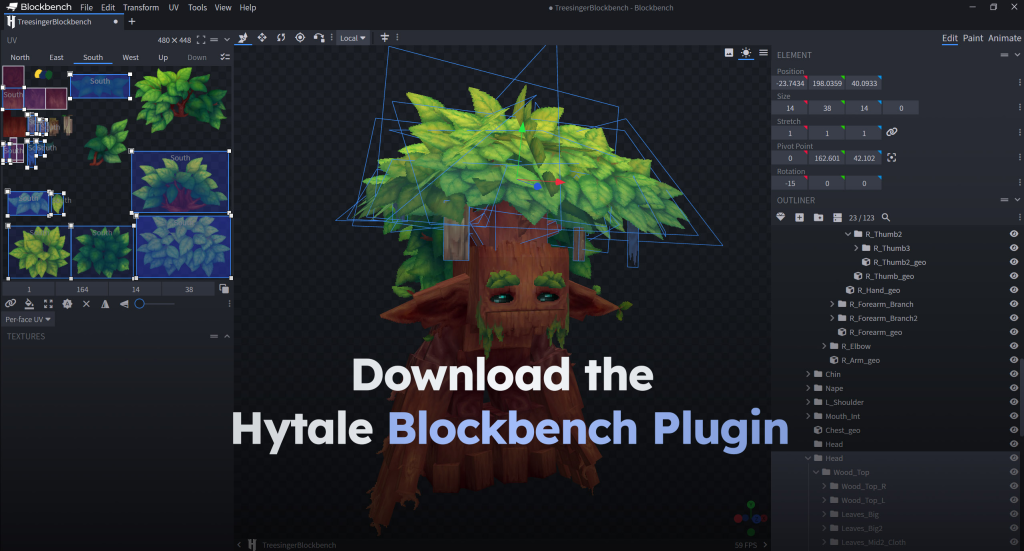
This is the major technical announcement: Hytale officially integrates Blockbench via a dedicated plugin (currently in early access).
This plugin is essential for:
- Maintain a constant pixel ratio on your textures.
- Export models and animations in the game engine’s native format.
- Manage the hierarchy of bones for immediate compatibility with the animation system.
Geometry Constraints

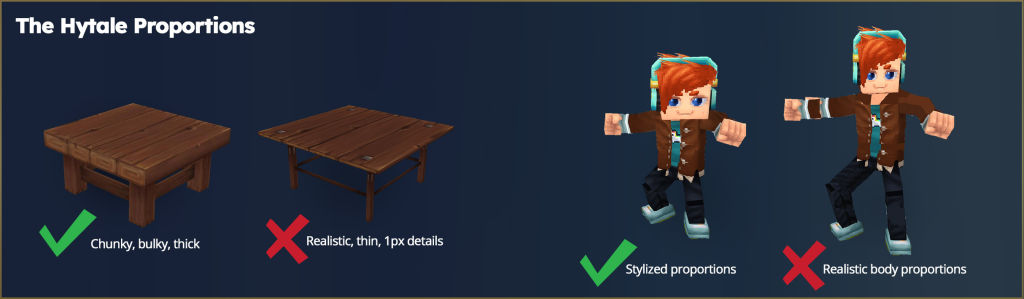
Forget triangles, spheres, or complex topologies. Hytale uses exclusively two primitives :
- Cubes (6 faces)
- Quads (2 sides)
This simplicity eliminates the need for complex “Weight Painting” or “Rigging”, making creation accessible without a 3D art degree.
Optimization and Performance: FPS vs. Details
Hytale’s engine is designed to run on modest systems. Since the game can display millions of polygons per frame (especially through environment blocks), each model must be optimized. The artists’ trick? Start with simple shapes , then add geometry only to refine the silhouette.
Texture and Pixel Density (Texel Density)
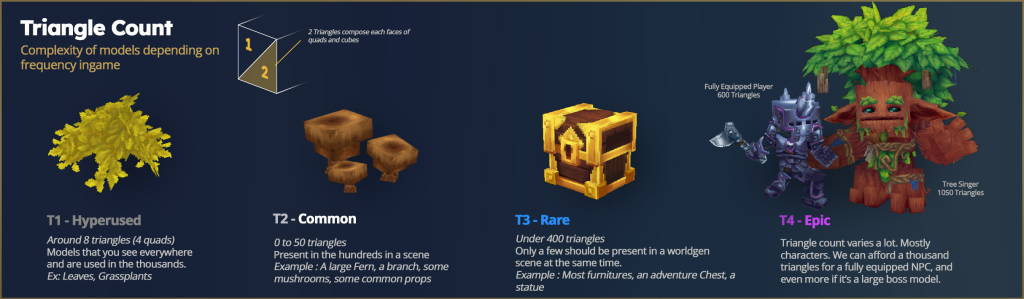
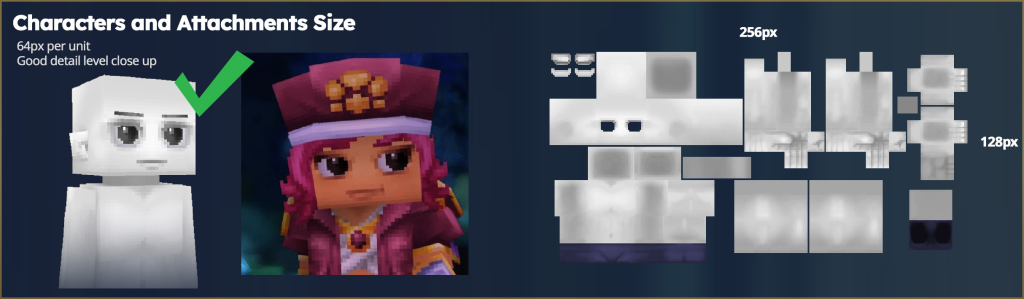
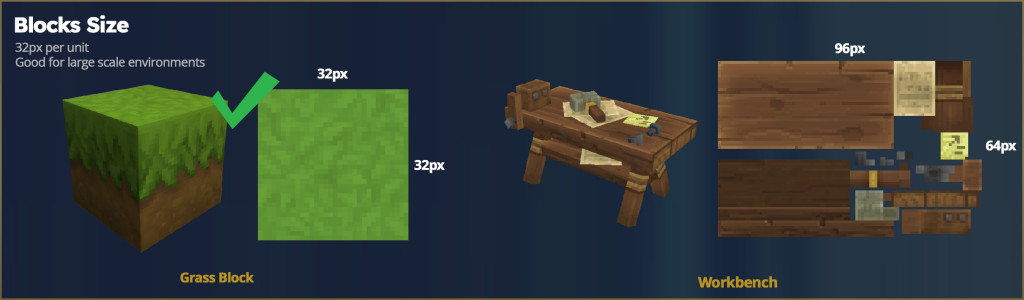
Hytale uses two distinct resolutions depending on the object created:
- 64px per unit: For avatars, cosmetics, tools, and weapons. This high density allows for detailed faces and the expression of emotions.
- 32px per unit: For accessories (props) and building blocks.
Technical advice: Textures should be multiples of 32px (32, 64, 96, 128, etc.). Stretching is permitted to avoid Z-fighting issues, but should be limited to between 0.7x and 1.3x to prevent pixel distortion.
Graphic Rendering: Beyond PBR
Contrary to current industry standards, Hytale does not use the PBR (Roughness, Normal maps) workflow. The engine relies on:
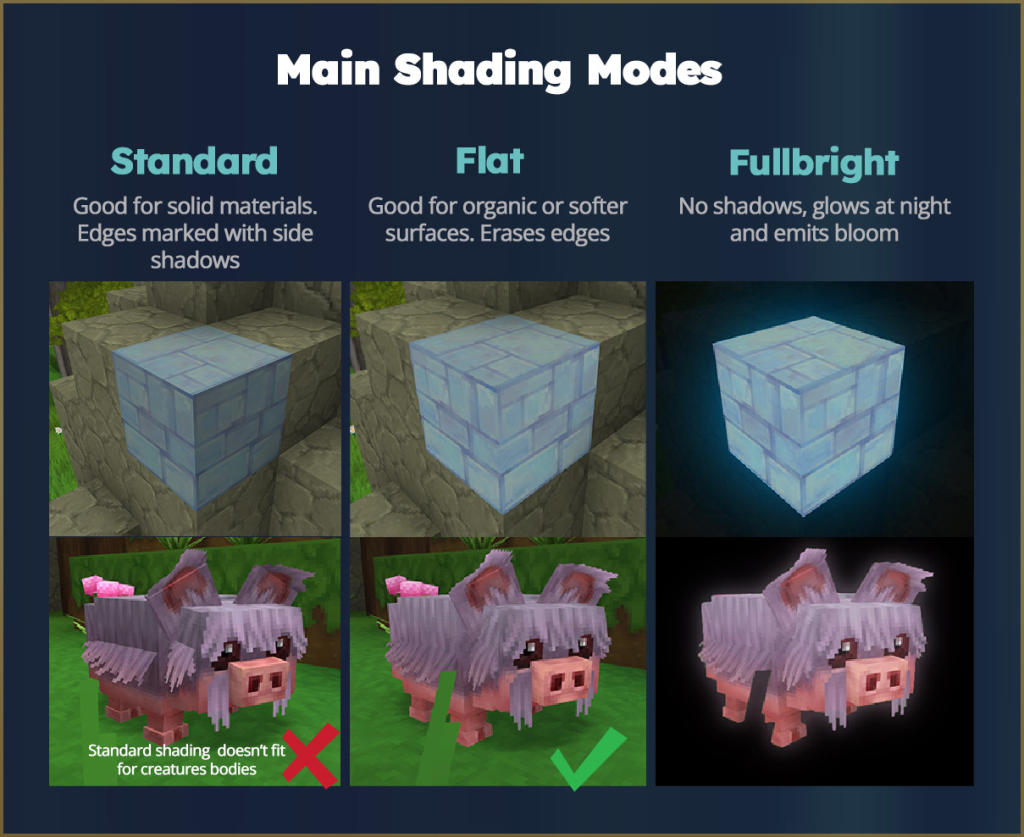
- Lights and shadows painted directly onto the textures (illustration style).
- An internal technique for propagating light.
- Post-processing effects such as Bloom, Depth of Field (DOF) and Ambient Occlusion (SSAO).
In the future, the engine is expected to evolve to include godrays, transparent glass, and new colorimetry options.
Tips for Artists: Colors and Textures
To achieve successful “Hytale-style” textures, Thomas Frick recommends:
- Avoid pure black and white: This breaks the lighting in the game.
- Colouring the shadows: Use shades (like purple) in your shadow areas to add vibrancy.
- Use two types of brushes: A pencil for details and a soft brush for gradients and volumes.

In conclusion, modeling for Hytale is a matter of compromise between retro aesthetics and modern technologies. With the new Blockbench plugin, the barrier to entry has never been lower for content creators.
You can also find two videos that show the design of a magma golem.
Note: This article is based on the blog post ” An Introduction to Making Models for Hytale ” published by Xael and Thomas Frick on December 22, 2025.