
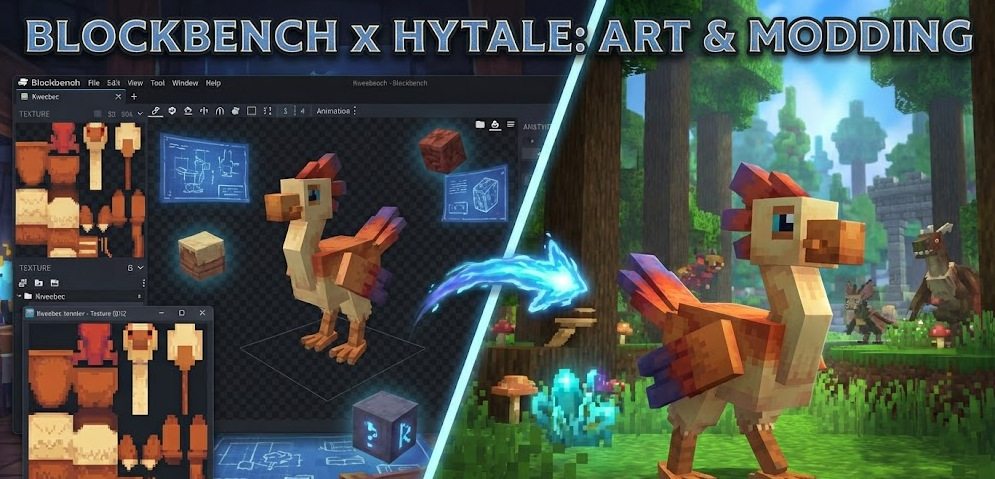
Blockbench has established itself as the official and preferred tool for creating models, textures, and animations in the Hytale universe. This intuitive software is at the heart of Hytale’s modding ecosystem, replacing previous modeling tools to integrate perfectly with our community’s creative workflows.
What is blockbench?
Blockbench is a voxel-based 3D modeler, widely acclaimed for its ease of use. For Hytale, it is not just an editor, but a complete integration platform, specifically adapted to the needs of the Hytale game engine thanks to a powerful plugin.
The Hytale plugin integration
The Hytale plugin for Blockbench is an essential extension, currently in early access. It was designed to improve efficiency and feature completeness for Hytale content creators. Here is an overview of its capabilities:
| Hytale plugin feature | Description |
| Model creation | Allows designing 3D models directly compatible with Hytale. |
| Texture creation | Facilitates the design and application of pixel-art textures. |
| Animation creation | Offers tools to animate your models. |
| Consistent pixel ratio | Helps maintain uniform pixel density on textures. |
| Optimized export | Exports models and animations in the .blockymodel format expected by the Hytale engine. |
| Quality of life improvements | Integrates various optimizations for a smoother workflow. |
| Real-time preview | Allows visualizing your creations directly in Blockbench. |
| Texture painting and UV mapping | Integrated tools to refine the visual aspect of your models. |
This plugin is a key element to ensure your creations respect the game’s geometric constraints, thus simplifying the modeling and animation process.
Downloading and installing blockbench
To start your Hytale modding adventure, you will need Blockbench and its dedicated plugin.
| Step | Action | Link |
| 1. Download Blockbench | Get the latest version of the Blockbench software. | blockbench.net |
| 2. Download Hytale plugin | Install the official Hytale plugin for Blockbench. | blockbench.net/plugins/hytale_plugin |
| 3. Source code (optional) | The plugin source code is available for curious developers. | GitHub |
It is important to note that the plugin is still in early access and may contain bugs, but it is continuously being improved.
Hytale art style and modeling guidelines
Hytale stands out with a unique art style: a modern and stylized voxel game with retro pixel-art textures. The goal is to marry the capabilities of modern game engines with the charm of traditional pixel art. Thomas Frick, Art Director of Hytale, shared clear guidelines for creators, based on the game’s “four pillars of art”: immersive, fantasy, stylized, and flexible.
Geometry constraints
To ensure visual harmony and performance, Hytale models are subject to specific rules regarding their primitives:
| Allowed primitives | Not allowed primitives | Advantages |
| Cubes (6 faces) | Edge loops | Ease of creation, UV unwrapping, and animation. |
| Quads (2 faces) | Special topology | No complex weight painting or rigging. |
| Triangles, pyramids | Spheres (strictly forbidden) | No need for a 3D art degree to start. |
| Other traditional shapes | The Blockbench plugin helps maintain this simplicity. |
This simplified approach aims to make content creation accessible and optimize the rendering of thousands of blocks and voxels simultaneously, where every triangle counts for performance.
Textures play a crucial role in Hytale’s style. Here are the rules to follow:
| Feature | Requirement |
| Size | Must be a multiple of 32px (e.g., 32×32, 64×64, 96×96, 128×128). Non-square textures are accepted. |
Pixel density is also adapted to the object type:
| Object type | Pixel density per unit | Examples of use |
| Characters/accessories | 64px per unit | Characters, cosmetics, tools, weapons, food. |
| Objects/blocks | 32px per unit | Cubes, furniture, props, any object not linked to a character. |
The higher density for characters allows expressing emotions and managing close-up details, thus improving first-person immersion.
Texture painting and colors
Hytale’s texturing philosophy is to treat each texture as an “illustration”. This means painting or baking shadows, ambient occlusion, and highlights directly into the texture to simulate more complex lighting.
| Good texturing practices | Bad texturing practices |
| ✅ Add color to shadows (e.g., a touch of purple for a more vibrant look). | ❌ Use pure white (#FFFFFF) or pure black (#000000). |
| ✅ Use nuanced and saturated shadows. | ❌ Create purely desaturated shadows. |
| ✅ Test colors directly in-game (once available). | ❌ Add noise or too much grain to textures. |
| ✅ Create the illusion of depth and volume. | ❌ Leave surfaces perfectly flat. |
Summary of best practices
To help you create content that fits perfectly into Hytale, here is a summary of best practices:
| Category | Recommendations |
| Geometry | 1. Use only cubes and quads. 2. Keep a low triangle count. 3. Optimize for performance. 4. No spheres! |
| Textures | 1. Use multiples of 32px only. 2. Choose the right density (64px for characters, 32px for items). 3. Avoid pure white and pure black. 4. Paint shadows and highlights into the texture. 5. Add color to shadows. |
| Workflow | 1. Start simple. 2. Iterate to improve the silhouette. 3. Test in-game as soon as possible. 4. Follow the art pillars (immersive, fantasy, stylized, flexible). |
| Character models | 1. Name “bones” correctly for animation. 2. Use a density of 64px. 3. Disable side shadows in Blockbench for organic volumes. 4. Keep cartoonish and chunky proportions. |